
Our Test: Comparing Air Sensors & Air Quality Monitors
Air quality isn't visible, but it's measurable! Since poor air can lead to health complaints, air sensors make sense. But not all air sensors are the same. We compared a small, meaningful selection of monitors against the air-Q. We're not entirely neutral, but we back up the comparison results with facts.
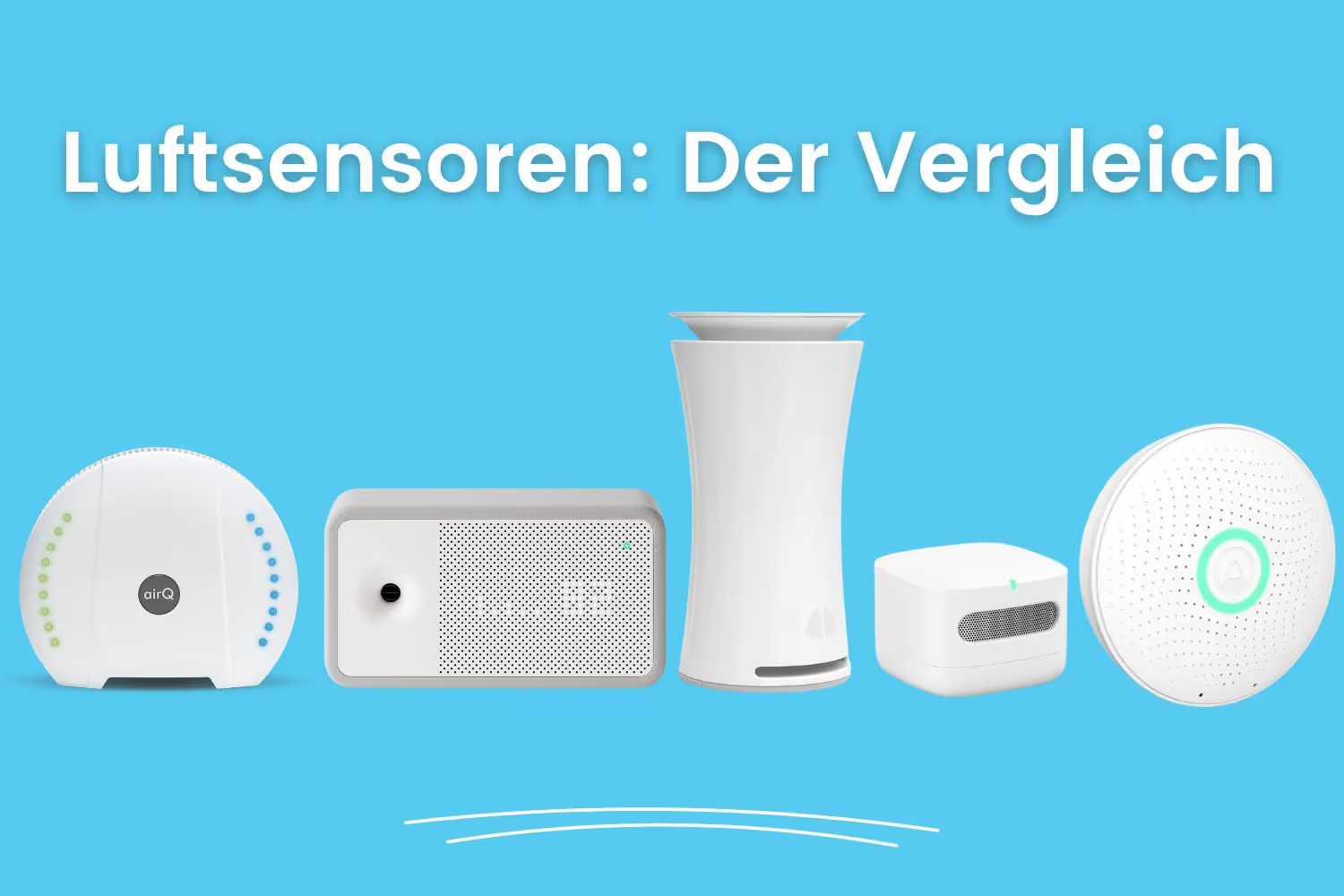
Stuffy or pollutant-laden room air promotes complaints like headaches, fatigue, or poor concentration. Severe contamination can even trigger allergies or chronic diseases. Air quality monitors analyze air components and draw attention to poor air.
There are many providers of air quality monitors on the market.
Air sensors tested: which is the best monitor?
If you're considering buying a smart air quality monitor, you should first answer the following questions:
- Which measurements do you want to take with the device? Which sensors do you need?
- What should happen when air quality is poor? Do you need warnings: e.g. acoustic, visual, push, or email?
- Do you want advice (in person or electronic) to solve any air quality problems you might discover?
- Where and how do you want to place the device?
Smart air monitors usually offer an app for evaluating the air analysis, which can be downloaded from the iOS and Android app stores. Most smart monitors can also be integrated into a smart home and thus used to control ventilation, etc., or even — at least partially — controlled by voice.
It's therefore worthwhile to compare the features of air quality monitors with your own needs before buying. Do you want an entry-level device for occasional use or "just to try out," or is it about serious measurements? In our comparison test, we present the pros and cons of the air quality monitors from the following providers: Awair, Uhoo, Airthings, Amazon, and air-Q.
What stood out to us about the air quality monitors — in comparison
Awair
Awair can analyze seven readings: temperature, humidity, carbon dioxide, VOCs (volatile organic compounds), particulate matter, noise level, and light intensity. Via an LED display and a three-tier color scale, the device shows what range air quality falls into. On the front of the device, an LED bar shows air quality. The colored dot shows users the general quality of room air: good, okay, or poor. The bars show an approximation of the reading. This works well for the number of readings offered and is easy to follow. We really like the Awair's design.

Unfortunately, chart-based analysis in the smartphone app is only available for one day — other time ranges (e.g. multiple days, weeks, or even just hours) can't be selected. The air quality monitor gives tips on the trend of readings as well as air quality. Here, values can be compared with those from the previous day. The app is clearly laid out, so the user can immediately see the current readings. However, the app and all texts and analyses are only available in English.
Integration into a smart home is possible with the Awair, since various connections exist for: IFTTT, Google Assistant, and Amazon Alexa.
Uhoo
Compared to the Awair, the Uhoo offers significantly more sensors: temperature, humidity, carbon dioxide, carbon monoxide, VOC, air pressure, ozone, particulate matter, and nitrogen dioxide.

There's no LED display or other visual signal on the device itself that shows air quality. If readings spike sharply, the user gets a notification on their smartphone. The readings and notification limit values are already preset; users can't change or customize them. For the time ranges "current day," "two hours," "entire day," and "entire month," readings and their trend can be displayed as charts. A custom selection isn't possible.
Uhoo offers a lot of information about the readings, explaining the limit values and what to generally do if they're exceeded. Tips on individual readings, however, are only available to users who've signed up for a subscription.
The Uhoo is compatible with the smart home providers IFTTT, Alexa, Google Home, Mediola, and AirTeq.
Airthings
Airthings offers seven readings in its largest device version: radon, particulate matter, carbon dioxide, humidity, temperature, VOC, and air pressure. Controlled via gesture control on the device, the air quality monitor shows air quality via an LED display and a three-tier color scale. Actually well thought out, but not practical in use, since you always have to get up and go over to see the color scale.
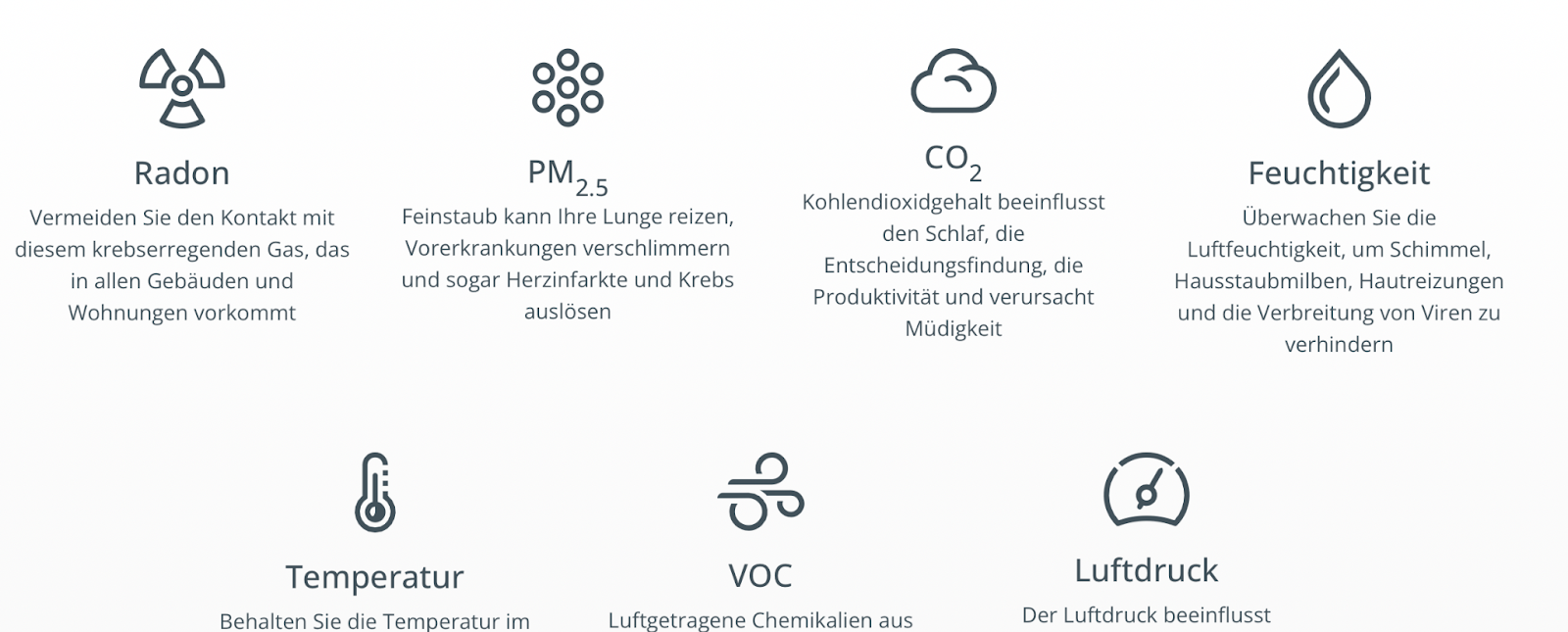
As with the Uhoo, warning notifications appear when a limit value is reached. However, this device also doesn't let you customize the readings or the limit values for notifications, which is a shame.
The device also integrates a pollen warning feature that gets data from the internet, meaning there's no pollen sensor or similar. For this information, users have to enter their location and get information on general pollen exposure. Users get a chart-based evaluation of readings for the following time ranges: 48 hours, week, month, or year. The app doesn't offer a more granular display. Smart home connectivity works with IFTTT, Amazon Alexa, and Google Assistant.
The biggest difference from the other devices is battery operation. All the other monitors presented here use a wired power supply. Instead of WiFi, Airthings relies on a Bluetooth connection, which is significantly more energy-efficient and enables battery operation. At the same time, though, the Airthings can't retrieve data over the internet without an additional bridge. Bluetooth's range is also significantly shorter than that of WiFi.
Amazon
Compared to its competitors, Amazon's air sensor appears to be the entry-level device. It only offers five readings: particulate matter, VOC, carbon monoxide, humidity, and temperature. The Amazon air quality monitor doesn't include a CO₂ sensor. Carbon dioxide, however, is the main indicator for knowing when to ventilate and has practically established itself as the standard. Users also don't get any tips regarding the collected measurement data.
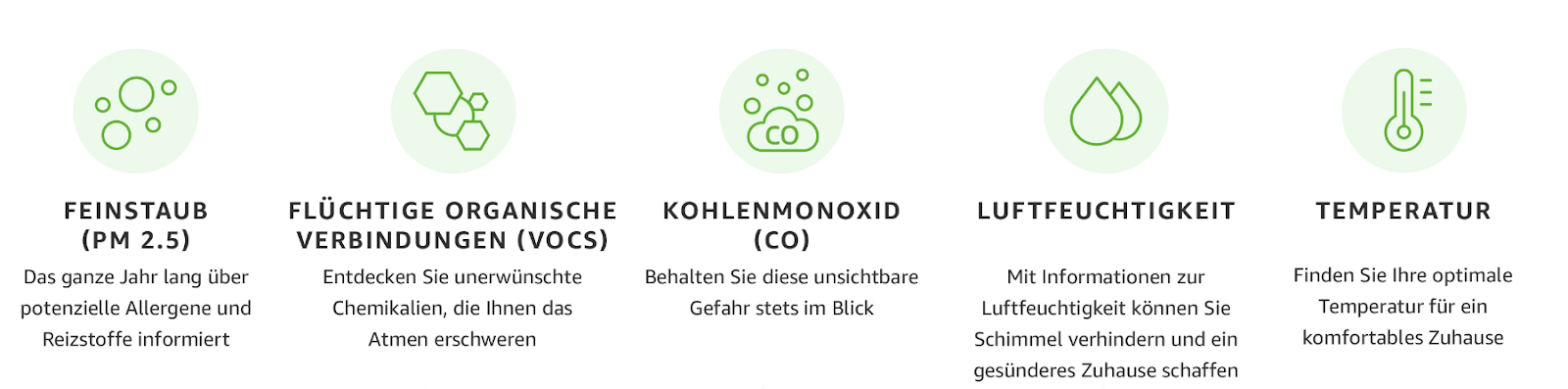
On the device, air quality is shown with an LED in three colors. However, if limit values are exceeded, there's no separate notification. A chart-based evaluation is available for the time ranges "hour," "day," and "week." No specific date can be entered. To see past values, users have to click back through the measurement days. This is rather impractical to use. Thanks to the Alexa app, setting up the device is very easy. That's also the only smart home integration on offer.
air-Q
With 14 dedicated sensors and two additional virtual sensors, the air-Q offers the most readings, plus indices for health and potential viral load. The device can also be expanded with further, sometimes specialized, additional sensors. All sensors are plugged in and can be swapped out. The air-Q is the only device that truly measures in real time, at a measurement frequency of 2 seconds — all other air quality monitors in this comparison operate in the range of several minutes.
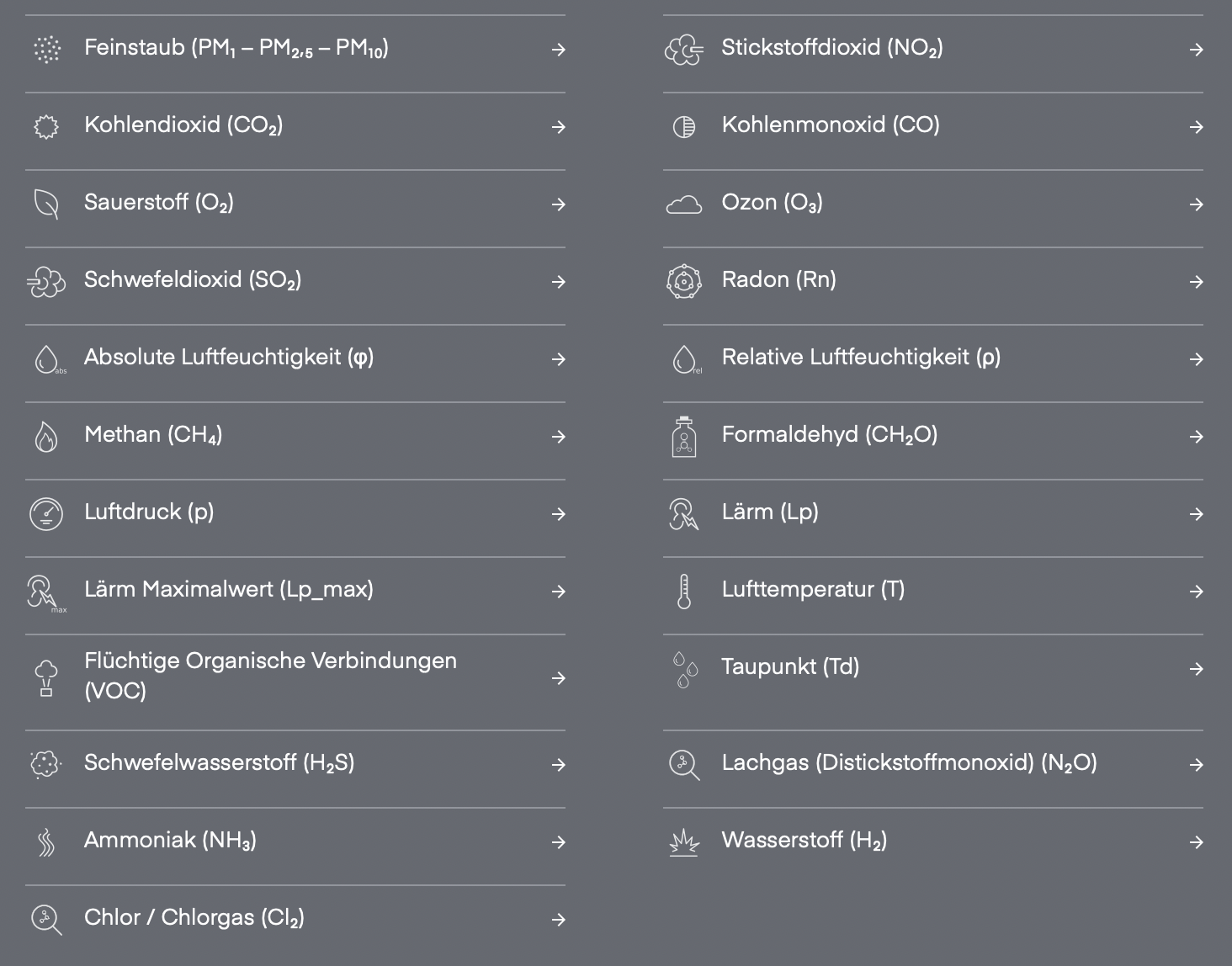
For data analysis, any time range, from minutes to years, can be freely selected; this, however, is only a feature of the pro chart module. Custom alarm thresholds can be set for each reading, for notifications (acoustic, visual, email, or push). To quickly evaluate the many values, there's the health index and the performance index. The digital health advisor then gives individual tips for improvement. On the monitor itself, thanks to 18 LEDs and two displays, the development of air quality or individual readings can be read off and customized.
When it comes to smart home integration, the air-Q is right at the front. Integration with providers like IFTTT, Home Assistant, openHAB, FHEM, as well as Homey ioBroker and others is possible thanks to the open interface. What's special: integration is also possible locally, since the air-Q works even without internet, capturing, storing, and transmitting data.
The weak spot is still the missing, or unsatisfactory, Alexa implementation. Unfortunately, due to restrictions on its own platform, Amazon doesn't allow all existing sensors to be addressed, since only standard modules for temperature and humidity exist. We hope Amazon lifts these restrictions in the future. This would benefit all providers, and the air-Q skill would finally be fully usable.
The air-Q, with its various variants (air-Q light, basic, pro, and science), targets ambitious users, serious gas-measurement enthusiasts, and professionals. Accordingly, it's also one of the pricier devices in this comparison, but offers a wide range of sensors and upgradeable sensors for specialized applications. The app is the most versatile. All applications are available in German as well as English and French. Quality made in Germany.
Conclusion: air sensor comparison
Depending on the model, you can measure different parameters. If you want the most comprehensive information possible about your room air's components and how air quality develops, you should choose an air sensor that can take multiple measurements at once.
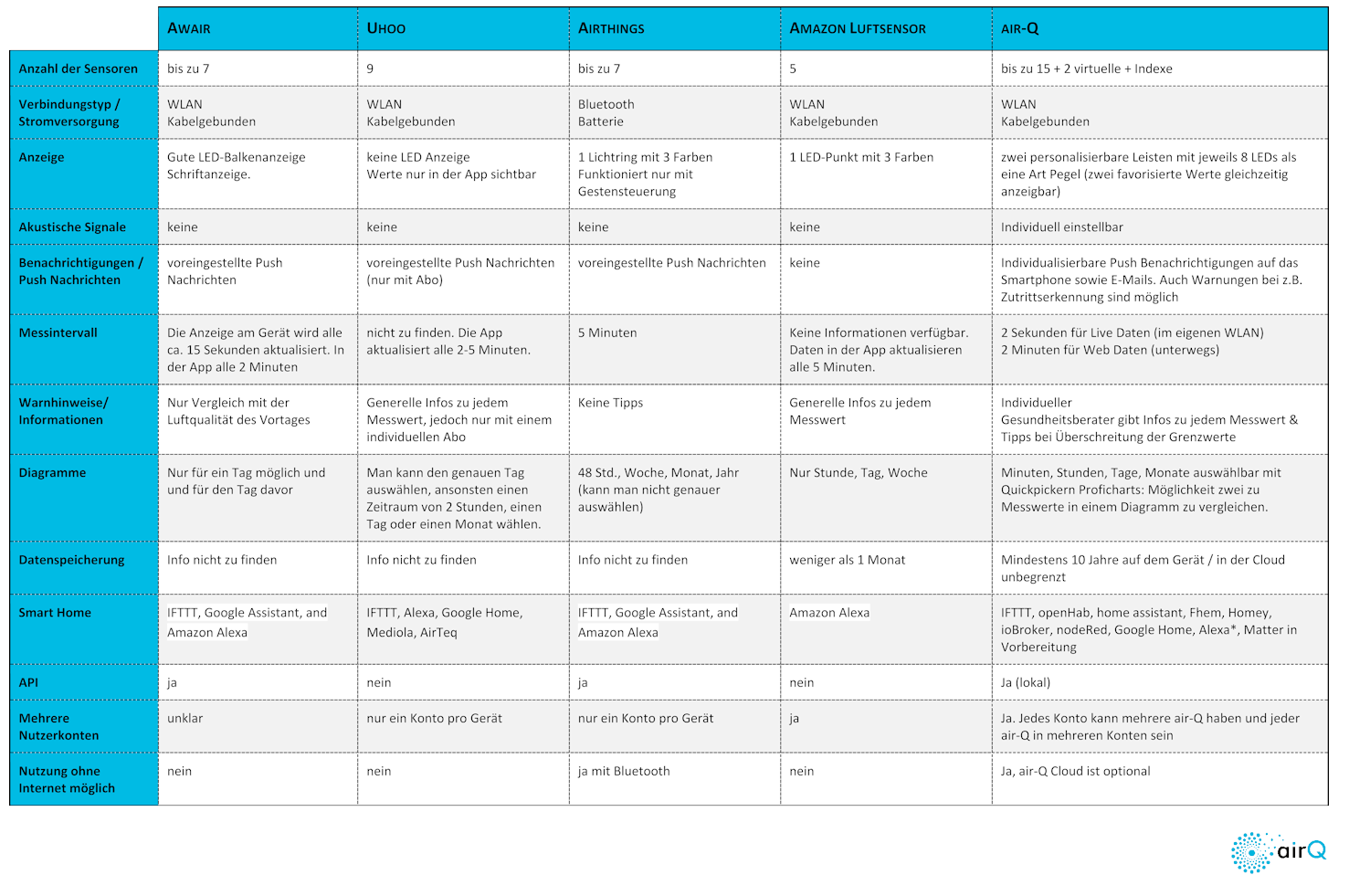
We've created our air quality monitor comparison as a PDF for you to download and print
(Cover image: our own edit/canva.com)